Bash Shell Scripts, KDE Plasma Widgets & Claude AI
So far, today has been a day of tinkering in bash shell scripts and seeing exactly what a.i. can do for me.
I find that I am always running the df -h command from terminal (I use Ghostty, by the way) to get a glimpse of storage on my desktop. I finally said to myself that I really need a way to automate this for a quick view, but only on mounts on my system that I am concerned about. With that in mind, since I have had available time today, I went to work on a shell script that I can just execute from command line in the terminal. Through some trial and error, I came up with this simple script:
#!/usr/bin/env bash
# Script to view, at a glance, storage information on specific mounts.
homeavail=$(df -h /home | awk 'NR>1{print $4}')
homeuse=$(df -h /home | awk 'NR>1{print $5}')
nasavail=$(df -h /mnt/nas_backup | awk 'NR>1{print $4}')
nasuse=$(df -h /mnt/nas_backup | awk 'NR>1{print $5}')
eighttbavail=$(df -h /run/media/$USER/8TB | awk 'NR>1{print $4}')
eightbuse=$(df -h /run/media/$USER/8TB | awk 'NR>1{print $5}')

echo
echo "---------------------------------------"
echo "Home:     Has $homeavail available and using $homeuse"
echo "NAS:      Has $nasavail available and using $nasuse"
echo "8TB:      Has $eighttbavail available and using $eightbuse"
I’m sure there are plenty of scripts already out there that I could have downloaded to use. And I am most positive that there are many other ways to write this script, as it is in most cases. But, this is what I came up with and it works for me.
Even though the script works perfect for me, I decided to see just how powerful, and accurate, a.i. could be by using it to convert my script into a KDE Plasma 6 widget. So, I uploaded the script into Claude and this is what it came up with:
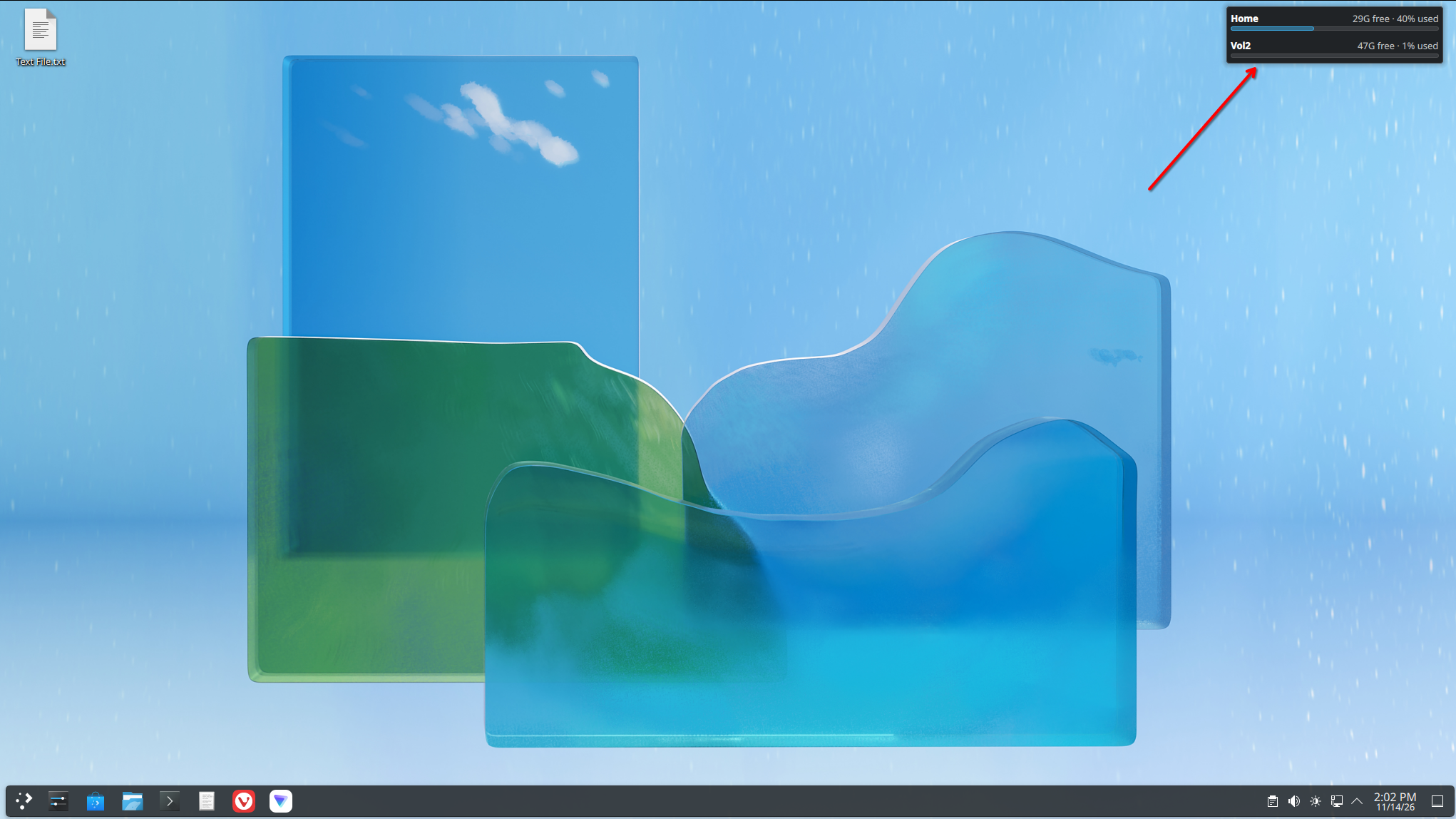
Screenshot above is from a virtual machine I use for testing. Cool thing about this particular a.i. prompt is that I was able to customize the plasmoid so that you can add any mounted drive you want on your machine and also configure any color scheme you want.
Here’s the widget, if you want to download and try it out:
Download KDE Plasma 6 widget zip file
Install instructions are in a README file included.
Some of you may be thinking that I’m lazy for not learning how to build a widget myself instead of having a.i. do it for me. I get it. I’m not a big fan of what a.i. is doing in most cases these days either. But, I have found, from time to time, that using it to help me with stuff like this, and the occasional Python script, I will definitely take advantage of a.i. and what it can do for me to get things done faster.
If you have any questions or comments, please feel free to send me an email noted in my About page.